Equivalence Partitioning Explained: Reduce Test Cases Without Losing Coverage

Software testing often creates a paradox: more test cases do not always mean better quality. Teams end up running many similar checks that slow feedback loops without catching new defects. Equivalence partitioning is a practical technique that reduces redundancy while keeping coverage strong. In this article, we explain what is equivalence partitioning in software testing, how to build partitions, and how to combine it with boundary analysis to reduce test cases without losing coverage.
What is equivalence partitioning
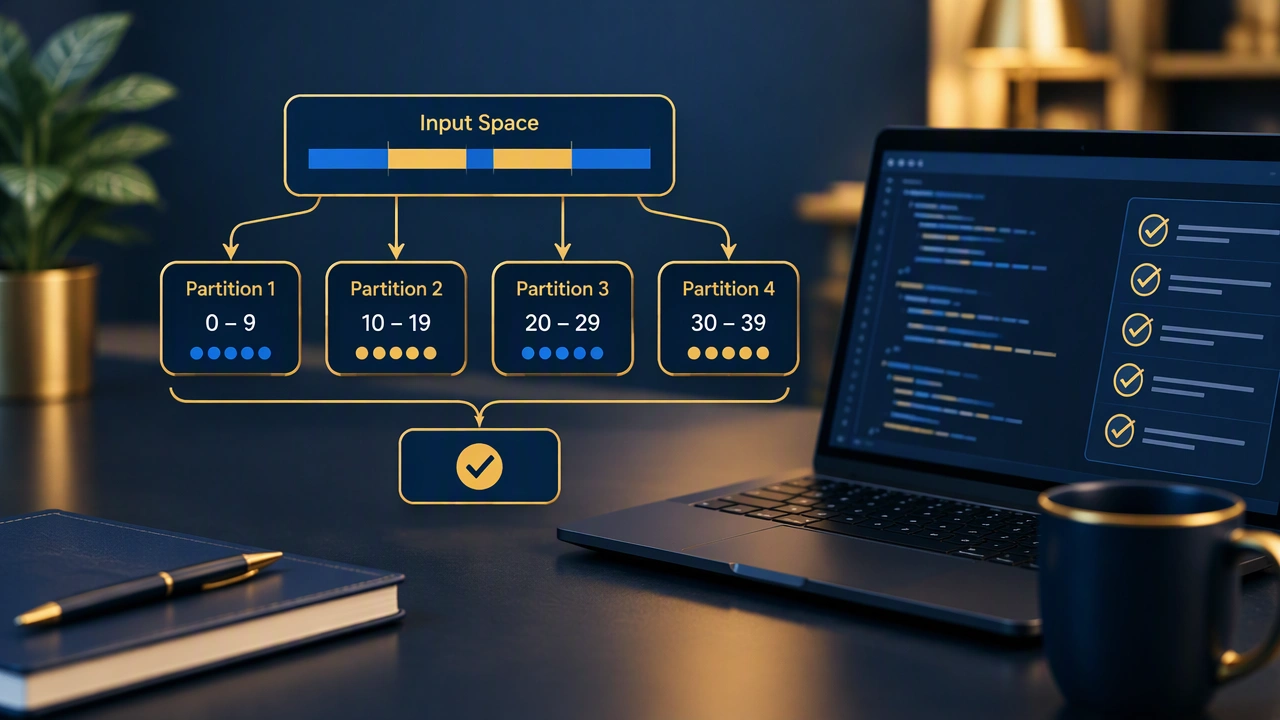
Equivalence partitioning is a test design method that groups input data into sets, called partitions, where each set is expected to behave the same way. If one value in a partition does not trigger a defect, other values in the same partition should also pass. If one value fails, others in the same partition are likely to fail as well. The goal is to pick one representative value from each partition instead of testing every possible input.
This approach is widely used in software testing because it lowers effort while still covering important scenarios. It works for numeric ranges, text fields, lists, dates, and configuration options. It also pairs well with boundary analysis, which focuses on the edges of partitions where defects often hide.
Why it reduces test cases without losing coverage
Many inputs have far more values than anyone can test. Consider a field that accepts ages from 18 to 60. Testing every integer from 18 to 60 gives 43 cases, but most of them repeat the same logic. Equivalence partitioning says that any value inside the valid range should be processed the same way. By selecting one or two representative values from inside the range, you cover the core logic with far fewer tests. You still keep coverage because the partition represents the expected behavior for the whole group.
The risk of missing defects drops when you combine this method with boundary checks. Defects often appear at edges, such as the minimum or maximum allowed value, or just outside them. By adding a few boundary tests, you keep the total count low while strengthening the fault-finding power of the suite.
How to build equivalence partitions
Step 1: Identify inputs and rules
Start by listing the inputs the system accepts and the rules that govern them. Rules come from requirements, specifications, or the code itself. Common rule types include numeric ranges, allowed text patterns, required fields, and lists of permitted values.
Step 2: Define valid and invalid partitions
For each rule, create at least one valid partition and one or more invalid partitions. A valid partition holds values that should be accepted. Invalid partitions hold values that should be rejected or handled as errors. For example, if a field accepts ages from 18 to 60, the valid partition is 18 through 60. Invalid partitions could be below 18 and above 60.
Step 3: Select representative values
Pick one or two values from each partition. For numeric ranges, choose a value in the middle of the valid partition and one value in each invalid partition. For text fields, pick a typical valid string, an empty string, a string that is too long, and a string with forbidden characters. Keep the selections simple and repeatable.
Step 4: Add boundary tests
After selecting representatives, add tests at the boundaries. For the age example, test 17, 18, 19, 59, 60, and 61. This small addition catches off-by-one errors and validation flaws without exploding the test count.
Practical examples
Example 1: Numeric range for age input
Suppose a form accepts ages from 18 to 60. The partitions are: invalid below 18, valid 18 to 60, and invalid above 60. Without equivalence partitioning, a team might test 25 values across the range. With this method, you can use a compact set like 10, 30, and 70 to cover the three partitions, then add boundary tests 17, 18, 19, 59, 60, and 61. That gives strong coverage with fewer cases than testing every number.
Example 2: Text field with length and character rules
Consider a username field that requires 3 to 15 characters, lowercase letters only, and cannot be empty. Partitions include: empty string, too short (1 to 2 characters), valid length with allowed characters, too long (over 15 characters), and invalid characters (uppercase, digits, or symbols). A practical test set could be: empty string, “ab”, “anna”, and a 16-character string with an uppercase letter. This covers the main partitions with a small number of cases.
Example 3: Dropdown with allowed values
If a dropdown offers three shipping options, you can treat each option as its own partition. Testing one value per option plus an invalid selection covers the behavior. You do not need to repeat the same valid option many times.
Combining with boundary value analysis
Equivalence partitioning and boundary value analysis are complementary. Partitioning tells you which groups to cover. Boundary analysis tells you where defects often cluster. A balanced approach is to pick one representative from each partition and add tests at the boundaries of each range. This keeps the test suite lean while increasing the chance of finding defects in edge cases.
Common mistakes to avoid
- Using only one partition for valid inputs: If the system treats different subranges differently, create more valid partitions to reflect the real behavior.
- Ignoring invalid partitions: Negative tests are essential. They confirm that the system rejects bad input and shows clear error messages.
- Skipping boundary checks: Many defects live at the edges. Without boundary tests, you may miss off-by-one issues.
- Testing the same partition repeatedly: Repeating similar values adds cost without new information. Choose different partitions instead.
- Forgetting non-functional rules: Consider performance limits, character encoding, and localization rules when they affect input behavior.
How to reduce test cases without losing coverage
The key is to design tests around behavior, not around volume. Use equivalence partitioning to identify groups where the system should act the same. Select one representative per group. Add boundary tests where risk is highest. Remove redundant tests that repeat the same partition. Maintain a trace matrix so every partition has at least one test linked to a requirement. This keeps the suite small, fast, and effective.
When to use equivalence partitioning
Use this method whenever inputs follow rules, ranges, or patterns. It works well for forms, APIs, configuration screens, and data imports. It scales across manual and automated testing. In automation, it is easy to parameterize tests across partitions, which helps maintain coverage while keeping execution time low.
Conclusion
Equivalence partitioning is a simple, reliable way to cut test redundancy while preserving coverage. By grouping inputs, selecting representatives, and adding boundary checks, teams can test smarter and deliver faster feedback. If you have ever wondered what is equivalence partitioning in software testing, the answer is practical: focus on the behavior of groups, not on every single value, and you will find defects with fewer, better-designed tests.