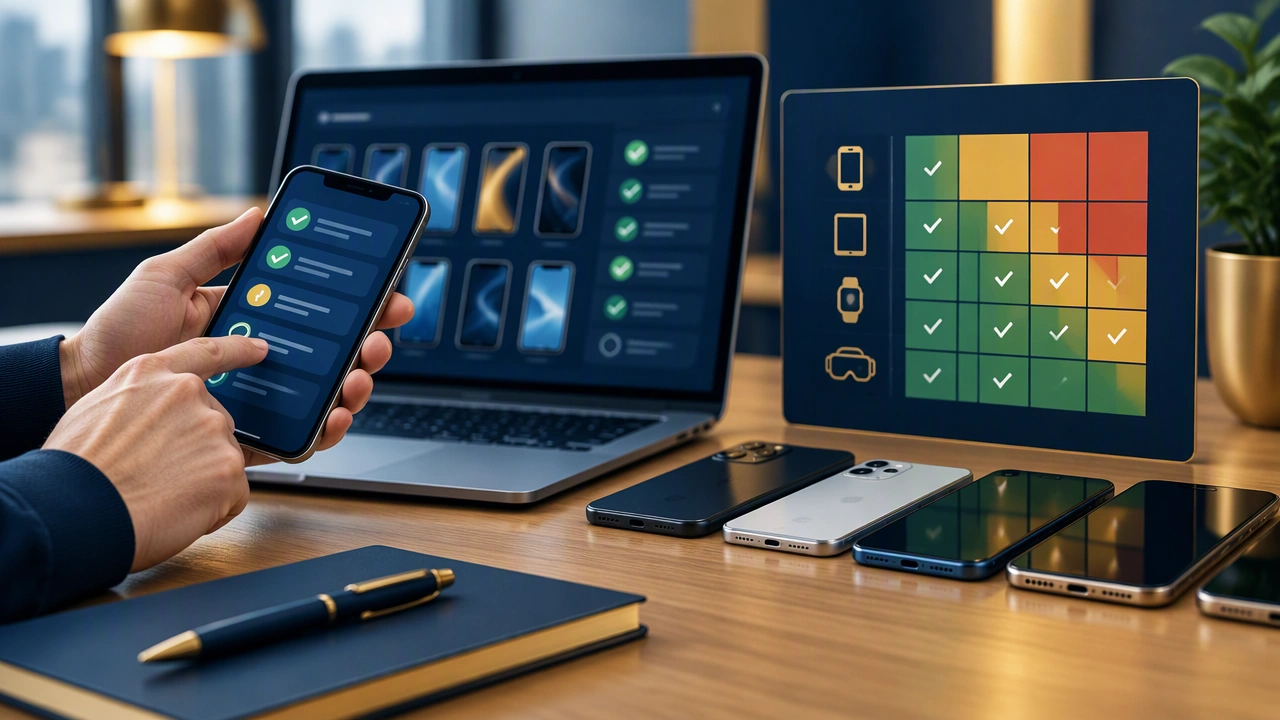
A Risk-Based Approach to Mobile App Testing Device Coverage

A practical software testing strategy does not try to cover every phone on the market. It focuses effort where failures would be most likely, most difficult to detect, or most damaging to users. A risk-based mobile app testing device coverage strategy starts with product risk and works backward to the devices, operating systems, networks, and environmental conditions that deserve attention.
The goal is not maximum device count. The goal is meaningful coverage: enough variety to expose realistic failure modes without wasting time on combinations that add little information.
Start with product risk, not device popularity
Before choosing a device list, identify what the application must do reliably. Payment flows, authentication, offline work, media capture, notifications, and accessibility are common high-risk areas. The consequences of failure matter as much as the probability. A cosmetic issue on an older phone may be acceptable; a checkout failure on a mainstream device is not.
Build a simple risk model around three questions:
- Likelihood: How often will users encounter this path?
- Impact: What happens if it fails financially, operationally, or legally?
- Detectability: Will automated checks catch the problem, or does it require human observation on a real device?
High-likelihood, high-impact flows deserve the broadest coverage. Low-impact edge cases can be sampled, automated, or deferred. This prevents the device matrix from becoming an arbitrary shopping list.
Segment devices by user and business exposure
Device selection becomes clearer when you segment the audience. Useful segments include market share, customer profile, revenue contribution, accessibility needs, and support burden. A business app used mainly on recent corporate phones has a different profile from a consumer app with a large base of older Android devices.
A balanced coverage set usually includes:
- A current iOS device on the latest supported release
- A previous iOS generation still common in analytics
- A current Android device from a major vendor
- A mid-range or budget Android device with limited memory or storage
- An older Android version still represented in the user base
- A device with unusual screen geometry, density, or vendor customization
These categories are more valuable than collecting several phones that behave almost identically. Include at least one device with constrained resources, because memory pressure, thermal throttling, and background process limits often reveal problems that flagship hardware hides.
Treat operating systems as a risk dimension
<
Operating system coverage should reflect support policy and release behavior. Test the latest version before public rollout when possible, because permission changes, background execution limits, and security policies can break existing flows. Also retain a supported older version to catch compatibility issues.
Track three OS layers separately:
- Platform baseline: the minimum supported OS for your application
- Current adoption: the versions most users actually run
- Forward exposure: beta or newly released versions that may affect the next update
Do not assume that OS version alone predicts behavior. Vendor skins, enterprise policies, and device manufacturers can alter permissions, battery management, camera behavior, and networking. When your analytics show a significant vendor cluster, include that vendor in the test set.
Add real-world conditions deliberately
Lab devices under ideal Wi-Fi rarely represent daily use. Real-world conditions often create the failures users report: weak signal, handoffs between networks, low storage, low battery, background restrictions, and interrupted permissions. These conditions should be selected from risk, not added randomly.
Consider a condition matrix for critical journeys:
- Fast Wi-Fi, weak Wi-Fi, and mobile data with high latency
- Network loss during upload, payment, or sync
- Low storage while downloading media or updating content
- Background mode while a notification or location task is pending
- Screen readers, large text, reduced motion, and alternate contrast settings
- Locale, time zone, keyboard, and right-to-left layout variations
Some conditions can be simulated reliably in automation. Others, such as camera behavior, biometric prompts, push delivery, or thermal effects, benefit from physical verification. The distinction should be explicit in the test plan.
Use a coverage matrix to make trade-offs visible
A coverage matrix links product risk to device, OS, and condition choices. Each row can describe a user scenario, the risk it addresses, the environment required, and the verification method. This makes omissions visible. If a payment flow has no test on a budget Android device with intermittent connectivity, the gap is easier to discuss than an abstract complaint about insufficient coverage.
Prioritize the matrix with a simple scoring method. Assign higher priority to scenarios that combine revenue impact, frequent use, weak automation coverage, and known platform sensitivity. Review the scores after releases and incidents so the strategy evolves with evidence.
Combine automation, emulation, and physical devices
Automation is excellent for repeatable checks across many configurations, but it does not replace observation. Emulators are useful for OS breadth and fast regression runs, yet they may not reproduce camera quality, sensor behavior, memory limits, radio conditions, or vendor-specific processing.
Use a layered approach:
- Automate stable functional checks across a broad virtual matrix
- Run exploratory sessions on representative physical devices
- Reserve real-network and field testing for flows with high connectivity risk
- Perform focused checks on new OS betas and major vendor updates
This structure keeps feedback fast while preserving the fidelity needed for high-risk paths.
Measure whether coverage is working
Coverage should be evaluated by outcomes, not by the number of devices in a lab. Track escaped defects by device class, OS version, network condition, and feature area. Compare production incidents with planned test coverage. If failures repeatedly appear outside the matrix, update the selection criteria rather than simply adding more phones.
Review the strategy on a regular cadence and after major platform releases. Device populations change, support policies change, and product risk changes with new features. A disciplined review keeps the mobile app testing device coverage strategy aligned with actual user exposure.
Conclusion: choose coverage that explains risk
The strongest device strategy is explainable. Every included device, OS version, and condition should connect to a user population, a failure mode, or a business consequence. By starting with risk, segmenting the audience, testing real conditions, and measuring escaped defects, teams can build coverage that is both smaller and more effective than an indiscriminate device matrix.